Neural activity sonification: choosing your setup
You slapped on the headset, opened the DAW, and the first thing you hear is the glorious 50 Hz hum of a fluorescent light being translated into a low drone.
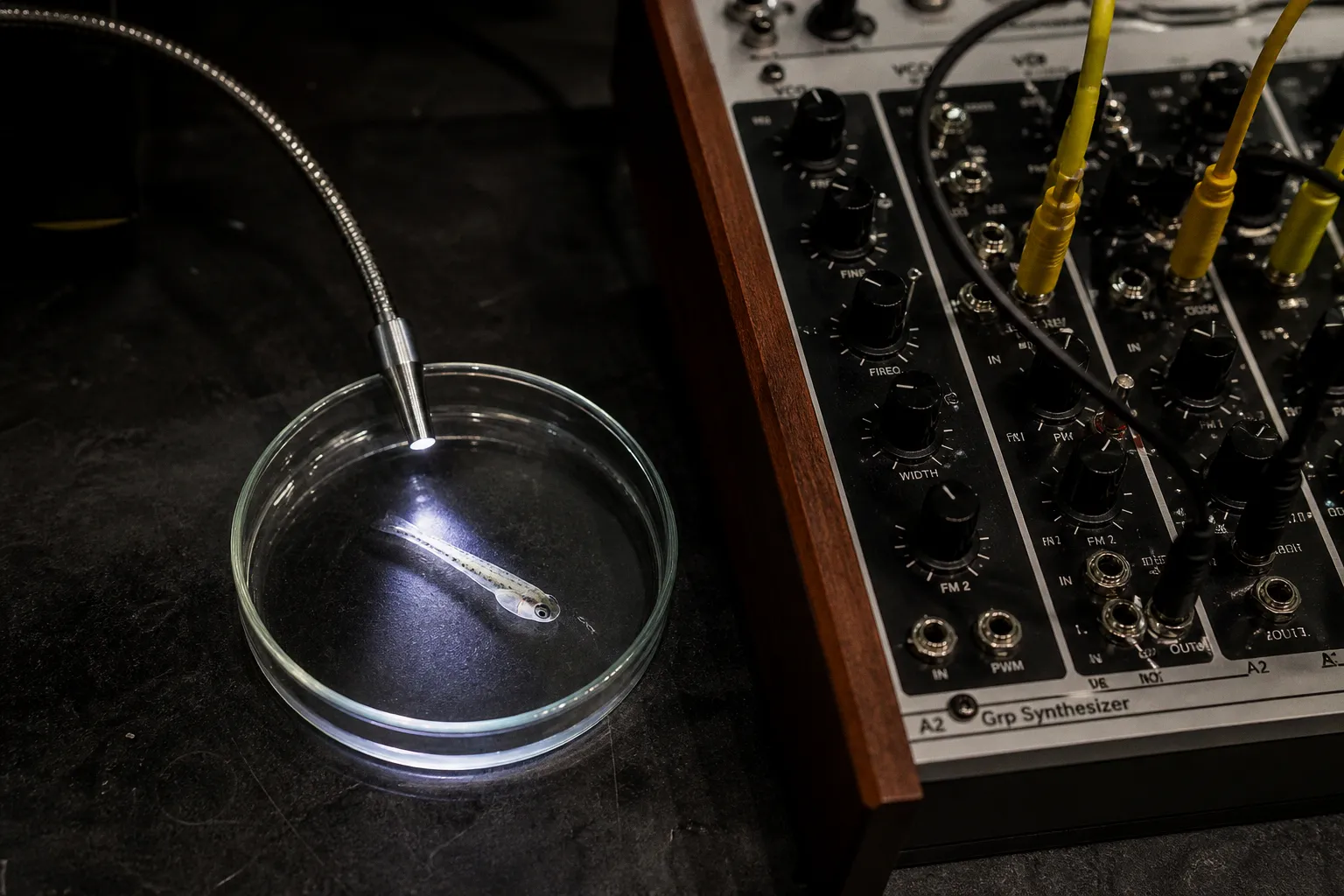
Welcome to the bench reality of neural activity sonification — the moment where neuroscience meets sound design, and where most artists quietly close the laptop and wonder if they should've just stuck with samples. We've all been there. The marketing promised "real-time brain wave music." The actual output is a noisy, drifting, blink-triggered mess that wouldn't fool a dog. So let's fix it. Today we're walking the whole stack with you — scalp to speaker — so you can pick the right neural activity sonification tools for artists, the ones that match your actual setup rather than some idealized lab sitting on a six-figure grant and a four-channel amplifier.
Compare car rental deals in United Kingdom
See available offersPartner link — DiscoverCars comparisonThe good news is that the field has matured enormously since its early days, the open-source toolchains are genuinely good now, and you don't need a PhD to wire any of this up. The bad news is that the choices you make at the hardware layer ripple all the way down to your final mix, and the wrong choice at any stage means you'll spend your studio time debugging instead of composing. Let's go through it the way we walk our junior lab members through their first prep protocol — one layer at a time, with the assumption that you've never done this before and that you've already made the mistakes we made last year.
From Alvin Lucier to modern SDKs: the evolution of neural sound
If you've ever heard of Alvin Lucier's Music for Solo Performer, that's our founding myth: 1965, alpha waves off the scalp, routed through loudspeakers placed against an array of percussion instruments so that the room itself became the resonating body. Lucier wasn't doing it for spectacle; he was listening. That piece used scalp EEG to trigger an ensemble of percussion, and the gesture is exactly what we're still doing in 2026, just with cleaner electrodes, better amplifiers, and software that doesn't require you to solder your own preamp on a Wednesday night.
The four primary sonification methods haven't changed conceptually, even though our tools have. Audification just plays the signal directly — useful for raw voltage traces, less useful for anything musical unless you genuinely enjoy the sound of a hospital monitor. Parameter mapping sonification is what most artists actually want: you extract a feature (alpha power, beta power, blink count, heart rate) and bind it to a synth parameter like filter cutoff, stereo pan, or note pitch. Event-based sonification fires off discrete musical events when a threshold is crossed — a spike, a blink, a peak — and turns the brain into a trigger pad you can drum on. Model-based sonification builds an internal model of the neural system and "plays" the model's behavior; elegant, deep, and heavier on the math, so you'll mostly encounter it in academic installations rather than on stage.
Mapping is where the science ends and your art begins. The tools just get you to the point where you can start making choices that actually matter.
So when you're planning a piece, ask yourself which of those four methods fits the experience you want. Audification is rarely the answer for an audience. Parameter mapping is the workhorse for almost every public-facing brain wave music software project. Event-based sonification gives you the most "performable" feel because the gestures are discrete. Model-based is where you go when the installation is a year long and you have a collaborator who speaks differential equations.
Hardware acquisition: balancing research-grade precision and consumer EEG
This is where people burn the most money and the most time, so let's talk honestly about the trade-offs before you click "add to cart."
| Dimension | Consumer EEG (1–8 channels) | Research-grade EEG (32–256 channels) |
|---|---|---|
| Channel count | 1–8 typical | 32–256 typical |
| Cost (USD) | ~$200–$800 | ~$5,000–$50,000+ |
| Setup time per participant | 2–5 minutes | 30–90 minutes |
| Skin prep needed | Dry or saline-only | Conductive gel, abrading |
| Artifact sensitivity | High — blinks, EMG, motion | Lower with proper prep |
| Spatial resolution | Coarse; whole-head tendencies | Capable of localization claims |
| Best use case | Single-state proxies, demos, outreach | Source localization, publication-grade data |
If your piece only needs one brain doing one obvious thing — meditation, focus, drowsiness — a consumer EEG will get you there with careful filtering, and you should not feel bad about that. If you need spatial resolution, topographical claims, or hemispheric separation, you need more channels than the toys provide, and you need to do the prep work.
A useful rule of thumb, one we've learned by getting our hands dirty: a cheap headset with a clean pipeline beats an expensive headset with sloppy software, every single time. We've watched too many installations fail not because of the hardware but because someone skipped the filtering stage and let 50 Hz line noise and DC drift wash over the whole mix. So budget your time accordingly — half of your project hours should be allocated to signal conditioning, not to the hardware itself.
A cheap headset with a clean pipeline beats an expensive headset with sloppy software, every single time.
One more thing the marketing won't tell you: consumer-grade EEG headsets are not research-grade setups, and they will not give you the spatial fidelity to claim, for example, that the sound reflects "dorsolateral prefrontal cortex activity." What they will give you is a usable proxy signal that, with proper mapping, makes compelling brain wave music for public outreach. That's a real and legitimate artistic territory — just don't oversell the neuroscience underneath.
Data pipelines and processing: leveraging BrainFlow for signal streams
Okay, you've got the headset, and now you need to get clean numbers out of it. This is where most artists stall, because the world of biosignal SDKs is genuinely fragmented, and "the best one" doesn't exist as a universal answer — it depends on what you already know how to code and what your downstream sound engine expects.
BrainFlow is the default-recommend we'd make for most people starting out. It's open-source, MIT-licensed, and acts as a uniform layer over a ridiculous number of biosensors — EEG, EMG, ECG, and the various consumer headsets that pretend to be EEG. It exposes a consistent API across Python, C++, C#, Java, and others, so the moment you switch hardware, your downstream code barely changes. That's huge. The alternative — vendor-locked SDKs that ship with one specific headset — means every time you want to upgrade hardware, you're rewriting your pipeline from scratch.
But BrainFlow isn't the only on-ramp. If you're an Ableton-native artist who doesn't write code, Manifest Audio's Sonification Tools is a Max for Live device that pulls numerical data — including live streams routed through BrainFlow — and converts it directly into MIDI patterns and parameter automation right inside your DAW. That's a completely different entry point: no Python, no terminal, just drag in a file or point it at a stream, and you've got MIDI notes appearing on a track. We love this for prototyping and for artists whose coding confidence is "I can copy a Stack Overflow answer if it's short."
A third path is the pure Max/MSP or SuperCollider route, where you go fully custom. You open a UDP socket, parse OSC packets yourself, and build the mapping logic in a visual patching environment or in SuperCollider's elegant synthesis language. This is the most flexible and the most time-consuming. It's also where the best long-form installations tend to live, because you control every stage of the pipeline and you can optimize for latency, which is the silent killer of real-time neural sonification setup work.
We don't have exact latency numbers for every consumer EEG device routed through every custom Max/MSP or OSC pipeline — those benchmarks depend heavily on your operating system, audio interface, and buffer sizes — but a safe target for any performative piece is end-to-end latency under 50 milliseconds. Anything over 100 ms and your performers will feel like they're watching themselves in a mirror three frames behind, and your audience will feel a weird cognitive drag without being able to name it.
Mapping strategies: translating frequency bands into musical parameters
This is where the neuroscience data sonification methods actually become music. Once you've got a clean signal stream, you need to decide what to extract and how to translate it. For scalp EEG, the standard frequency bands are the workhorses:
| Band | Frequency range | Associated state | Common mapping targets |
|---|---|---|---|
| Delta | ~0.5–4 Hz | Deep sleep, unconscious | Sub-bass amplitude, drone weight |
| Theta | 4–8 Hz | Drowsiness, light meditation, memory | Reverb send, slow filter sweeps |
| Alpha | 8–13 Hz | Relaxed wakefulness, eyes-closed calm | Wet/dry mix, stereo width, pad brightness |
| Low Beta | 13–15 Hz | Focused but not stressed | Lead synth cutoff, lead tempo |
| High Beta | 15–30 Hz | Active thinking, sometimes anxiety | Distortion, rhythmic density |
The most common strategy for sonifying brain waves is to extract band power via a Fast Fourier Transform (FFT) or a wavelet decomposition, normalize it against a participant-specific baseline, and route it as a continuous controller — MIDI CC, OSC float, or a host parameter in Max. Alpha power to a reverb wet/dry mix is the canonical "calm makes the room bigger" gesture. Beta power to a filter cutoff gives you sharper sound during focus. Blink detection (easy in the 1–3 Hz transient range) becomes a percussion trigger. Heart rate from a co-recorded ECG or PPG sensor modulates tempo or amplitude.
Let me walk you through a mapping you'll actually use. Suppose you're running an Alpha/Beta ratio as your control signal — the canonical "relaxation index" in neurofeedback work. You compute the ratio over a sliding 1–2 second window, normalize it to a 0–1 range based on a participant-specific baseline taken during the first 30 seconds of the session, and map it to three parameters simultaneously: a low-pass filter cutoff on the lead synth, a stereo pan toward center as alpha rises, and a send level to a shimmer reverb. Suddenly your audience hears focus tightening the sound and relaxation opening it up, and you didn't have to lie about any neuroscience to get there. That's parameter mapping sonification at its most useful.
Three what-if scenarios that will save your installation on opening night:
1. What if the participant blinks hard every 30 seconds and triggers a glitch? Add a blink-rejection band-pass filter (typically a 1–3 Hz transient gate) or a simple threshold gate on the alpha channel. Most consumer EEGs have a recognizable blink signature — a fat, sharp transient — and you can subtract it cleanly.
2. What if the stream drops for five seconds mid-performance because the laptop sleeps or the Bluetooth hiccups? Interpolate the last value with a slow LFO, or hold the previous output and fade it back in. Don't let the audio engine go silent; silence reads as a failure to the audience.
3. What if alpha power saturates and your filter just stays wide open? Normalize against a rolling 30-second baseline, not against a fixed range. Saturation is a feature of every neurofeedback session, and a fixed mapping will crush your dynamic range by minute three.
Bridging the gap: integrating OSC and MIDI into creative sound engines
The final hop is the most concrete one: how do numbers become sound in a room? Two protocols dominate, and you'll choose one based on where your sound engine lives.
OSC (Open Sound Control) is the native language of Max/MSP, SuperCollider, TouchDesigner, and most modern live-coding environments. It sends floats, ints, and strings over UDP, with low overhead and easy bundling. If your sound engine is Max or SuperCollider, OSC is almost always the right choice. BrainFlow exposes its streams in ways that map trivially to OSC sends; the only thing you write is a small bridge script in Python that takes band-power values and posts them as /alpha, /beta, /hr OSC messages on a designated port. SuperCollider responds with the cleanest latency, and the synthdefs you write will reward you forever.
MIDI is the native language of Ableton Live, Logic, Bitwig, and most hardware synths. MIDI Note events fire discrete pitches with velocity. MIDI CC (Continuous Controller) sends values 0–127 over 16 channels, and CC messages are how parameter mapping sonification reaches most DAWs. Manifest Audio's Sonification Tools lives here — it accepts a numerical stream and outputs both Notes and CCs into Ableton's tracks. If you've never written code in your life and your sound engine is Ableton, this is your on-ramp. Brain wave music software of this kind lets you prototype a mapping in ten minutes, which is what you want when you're still figuring out what the piece is about.
A few bench notes from people who've done this badly and learned. First, close the loop on your latency budget end to end: headset → SDK → mapping → protocol → audio engine → speakers. Each hop adds milliseconds, and a 200 ms total will ruin a performance even if every individual stage is "fast." Second, log everything, even if your piece is "live." Disk logging is cheap, and it lets you debug the next day when the audience asks why the sound did that weird thing at minute four. Third, build a graceful failure mode: what happens when the participant blinks hard, when the electrode pops off, when the stream drops? Your piece should survive that, not crash mid-performance.
Your setup, your call
Let's close with the bench-honest version. There's no single best neural activity sonification tools for artists setup, and anyone who sells you one is selling you a demo reel. The right stack for you depends on three things: how comfortable you are with code, what hardware you can get your hands on, and what you actually want the audience to experience.
If you're non-coding and Ableton-native, start with a consumer EEG + Manifest Audio's Sonification Tools + brain wave music software inside Live. You'll have something running in an afternoon, and you'll learn what mapping choices feel right before you invest in deeper tooling. If you're a Pythonista who wants research-grade signal, go BrainFlow + a research-grade headset + a SuperCollider patch you build yourself; the latency will be tight, the signal will be clean, and your collaborators will respect the rigor. If you're somewhere in between, Max/MSP is the duct tape that holds the whole thing together, and the tutorials are good enough now that you can ship a piece without becoming a Max expert first.
We've walked this path with artists who had never touched neuroscience and researchers who had never touched a DAW, and the projects that worked were always the ones where the team respected both ends of the pipeline. The brain doesn't care about your synth. The synth doesn't care about your brain. But the audience, when you map one to the other with care, will absolutely notice. So pick the layer you're going to wrestle with first — usually the data pipeline — get it stable, get a clean signal flowing, and then let your ears lead you the rest of the way. The signal is in there. You just have to clean it enough to hear it.